


Calm Solitaire: Classic Card
4.156.00 Reviews
App Specs
- Version
- 1.13.265
- Updated On
- License
- Free
- Downloads
- 500,000+
- Developer
- Puzzle Brain Games
- Categories
- Card
- Platform
- Android
Screenshots
 Analysis by AppCompare
If you enjoy a quiet card game that doesn’t ask for your full attention, Calm Solitaire: Classic Card is built around that simple appeal. I see it as a familiar way to fill a short pause: settle into a round, think through a few moves, and put the phone down when you’re ready. It’s a card game from Puzzle Brain Games, and its understated premise is more suited to a relaxed routine than to players looking for a competitive, feature-heavy experience.
Readability and getting around
Downloading Calm Solitaire is a breeze, available on both Android and iOS. As soon as you open the app, you're greeted with a soothing interface that immediately sets the tone. The calming background music feels like a gentle hug for your ears, which is a nice touch compared to the often-overstimulating environments of other mobile games.
Setting up the game is straightforward. You don't have to deal with complicated menus or overwhelming options, just a few taps and you're ready to play. For someone who values simplicity, this was a huge plus. The app doesn't bombard you with ads right off the bat, which is always refreshing.
For a new player, the benefit of a direct start is practical: there is little setup to remember before a short break, and the familiar card layout makes it easier to focus on the game rather than learn a new interface. I’d still take a moment to check how the cards look on your own screen before settling into a long session. Screen size, brightness, and personal eyesight all affect how comfortable a card game feels, and a layout that seems clear to one person may be tiring to another.
Gameplay Experience
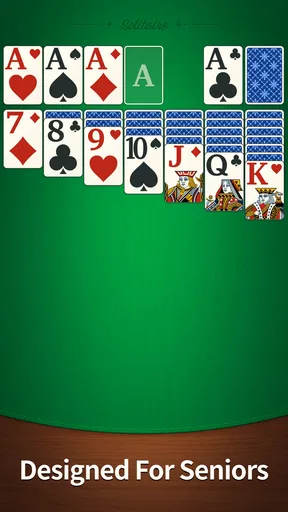
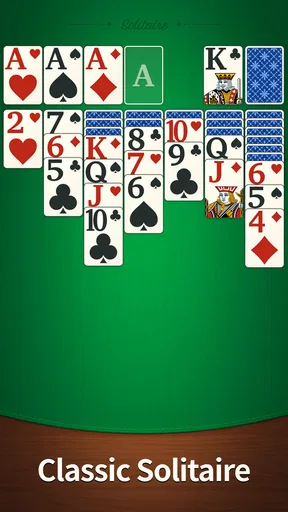
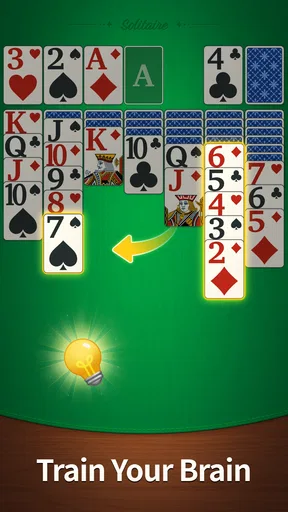
Playing solitaire on this app is reminiscent of those old-school card games but with a smoother interface. The drag-and-drop feature works seamlessly, and the cards are large enough to select easily even on smaller screens. Trust me, you won't be squinting at your phone trying to figure out if that's a heart or a spade!
One of my favorite aspects is the different game modes. Whether you're a solitaire purist or someone who enjoys a little variation, there's something here for you. The app includes a classic mode for traditionalists and a challenge mode for those who enjoy testing their skills. It keeps things fresh and gives you the option to switch things up whenever you like.
Touch controls are worth considering if you have limited dexterity or use your phone one-handed. Dragging a card asks for a steady movement, so I’d try a few moves before starting a round when you’re holding a bag, riding a crowded bus, or otherwise unable to keep the phone still. The familiar interaction is easy to understand, but it may not be as forgiving as a game that relies on simple taps. If a card slips to the wrong place, that small interruption can matter more than the puzzle itself.
Worth Reading Before You Choose

Flipboard Shows What News Apps Must Do Beyond the Feed

Switching to Android Auto Means Rethinking Your Driving Routine

Google Calendar Makes a Crowded Week Easier to Manage

Ludo King Makes the Most of the Minutes Between Plans

Baby Panda World Brings Quick Play to Modern Phones, but Its Game Library Feels Busy

ESPN’s Live Game View Makes Following Close Games Easier
The two modes also suit different moods. I’d choose the traditional option when I want a predictable, low-pressure round, and use the challenge mode when I have enough attention to treat the game as a small task. That distinction helps avoid turning a relaxing pause into an obligation: a challenge is most enjoyable when you want a goal, not when you’re trying to wind down without thinking about performance.
Visuals and Extras
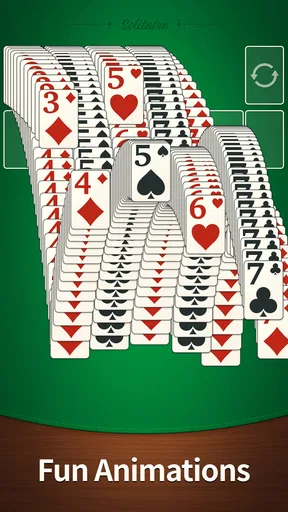
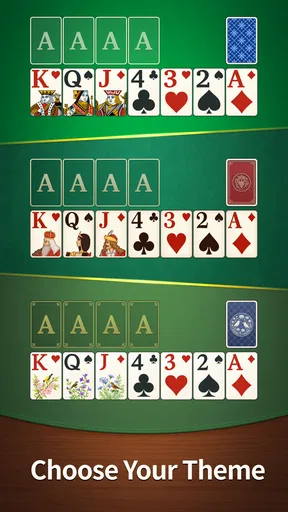
The graphics are clean and vibrant without being over-the-top. It's easy on the eyes, which is crucial when you're playing for extended periods. The app offers a selection of card backs and themes that you can unlock as you progress. These little customizations make the game feel more personal and engaging.
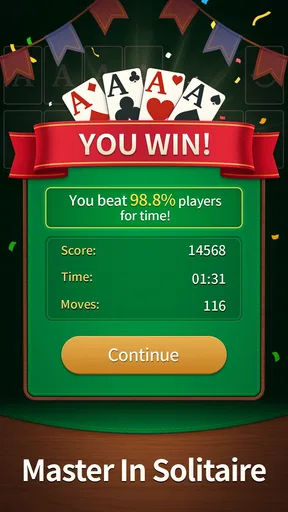
Another nice feature is the daily challenges. They offer a fun way to earn rewards and keep you coming back for more. Plus, it's always nice to have a little goal each day, something small to look forward to.
Customization can be more than decoration: choosing a look you find easy to distinguish may make a session feel more comfortable, especially if bright colors or busy visuals tire you. I’d treat the unlocks as an optional extra rather than a reason to keep playing. If your goal is simply to fit in a quick round, you don’t need to chase every reward or make a daily challenge part of your routine.
Playing in everyday situations
A realistic use for this game is a quiet few minutes while waiting for an appointment or taking a break between tasks. I’d keep the sound low or off if I were in a shared space, and choose a moment when I could look at the screen rather than trying to play while walking or doing something that needs my attention. A card game is a better companion for a stationary pause than for a commute where I need to watch my surroundings.
Solitaire apps often compete on extra modes, elaborate progression, or social features. This one’s appeal, as presented, is the familiar card-game routine and calm framing, rather than a reason to keep up with other players. That makes it a sensible choice if you want something self-contained. If you specifically want head-to-head play, a deep collection of variants, or a strong sense of competition, a different card game may suit you better.
What to expect before settling in
The game is free, rated for Everyone, and has a 4.6 average from 326 ratings, with more than 100K installs. Those figures suggest that it has found an audience, but they don’t tell me whether its look, sound, or touch controls will suit every player. I’d judge it by whether the cards are comfortable to read and move on your own device, not by popularity alone.
It was released on March 11, 2026, and its current version is 1.6.265, with Android 7.0 as the minimum operating system. If you’re deciding whether an older device can run it, checking your system version first is a straightforward way to avoid a failed install. The game is also a better fit for someone who enjoys the patience and repeated decisions of solitaire than for someone who needs constant action or a new surprise every few minutes.
Why You'll Love It
Calm Solitaire: Classic Card is more than just a card game—it's a mini getaway in your pocket. The app's design focuses on relaxation and simplicity, which is exactly what many of us need in our busy lives. Whether you're a long-time fan of solitaire or new to the game, this app provides a satisfying experience without the fuss.
As someone who often turns to mobile games to unwind, I appreciate the balance this app strikes between challenging and relaxing. It's the kind of game you can pick up for five minutes or get lost in for an hour. Either way, you'll come away feeling a little more at ease.
If you're searching for a way to bring some peace and entertainment to your day, Calm Solitaire: Classic Card might just be the perfect fit. Give it a try and let yourself get lost in the cards. After all, sometimes a little calm is exactly what we need.
My recommendation is conditional in a useful way: try it if you want a familiar solo card game with a gentle feel and straightforward start, but skip it if you need highly adjustable controls, a competitive community, or a more demanding strategic challenge. For players with visual or motor needs, the best test is a short session on the device and in the setting where they expect to use it. A calm presentation helps, but comfort still depends on whether the cards and gestures work for you.
Pros
- User-friendly interface for smooth gameplay.
- Customizable card designs enhance experience.
- Offline mode available for travel or commute.
- Daily challenges keep the game engaging.
- No intrusive ads interrupting gameplay.
Cons
- Lacks multiplayer or competitive mode.
- Few hints available for beginners.
- Limited themes without purchases.
- No leaderboard for high scores.
- Occasional lag on older devices.
FAQs for Calm Solitaire: Classic Card
What is Calm Solitaire: Classic Card?
Calm Solitaire: Classic Card is a traditional card game app available on both Android and iOS. It offers a relaxing and engaging gameplay experience, complete with classic solitaire rules. The app is designed to provide users with a calming and enjoyable way to unwind while enhancing their strategic thinking skills.
Is Calm Solitaire: Classic Card free to download and play?
Yes, Calm Solitaire: Classic Card is free to download and play. However, the app may offer in-app purchases for additional features or to remove ads. These purchases are optional and not required to enjoy the full solitaire experience. Make sure to check your device's app store for any associated costs.
What features make Calm Solitaire: Classic Card unique?
Calm Solitaire: Classic Card stands out with its soothing visual design and ambient soundtracks, aimed at enhancing relaxation during play. It also includes customizable card themes and backgrounds, daily challenges, and a hint system to assist players. These features collectively offer a personalized and stress-free gaming experience.
Can I play Calm Solitaire: Classic Card offline?
Yes, Calm Solitaire: Classic Card can be played offline, making it a great option for users who are on the go or want to save on data usage. While some features may require an internet connection, the core gameplay is fully accessible without one, ensuring you can enjoy solitaire anytime, anywhere.
Are there any ads in Calm Solitaire: Classic Card?
The free version of Calm Solitaire: Classic Card may contain ads that appear during gameplay. These ads help support the developers. If you find them disruptive, there is often an option to remove ads through a one-time purchase, allowing for an uninterrupted gaming experience.


